Morning
Attendance by exception
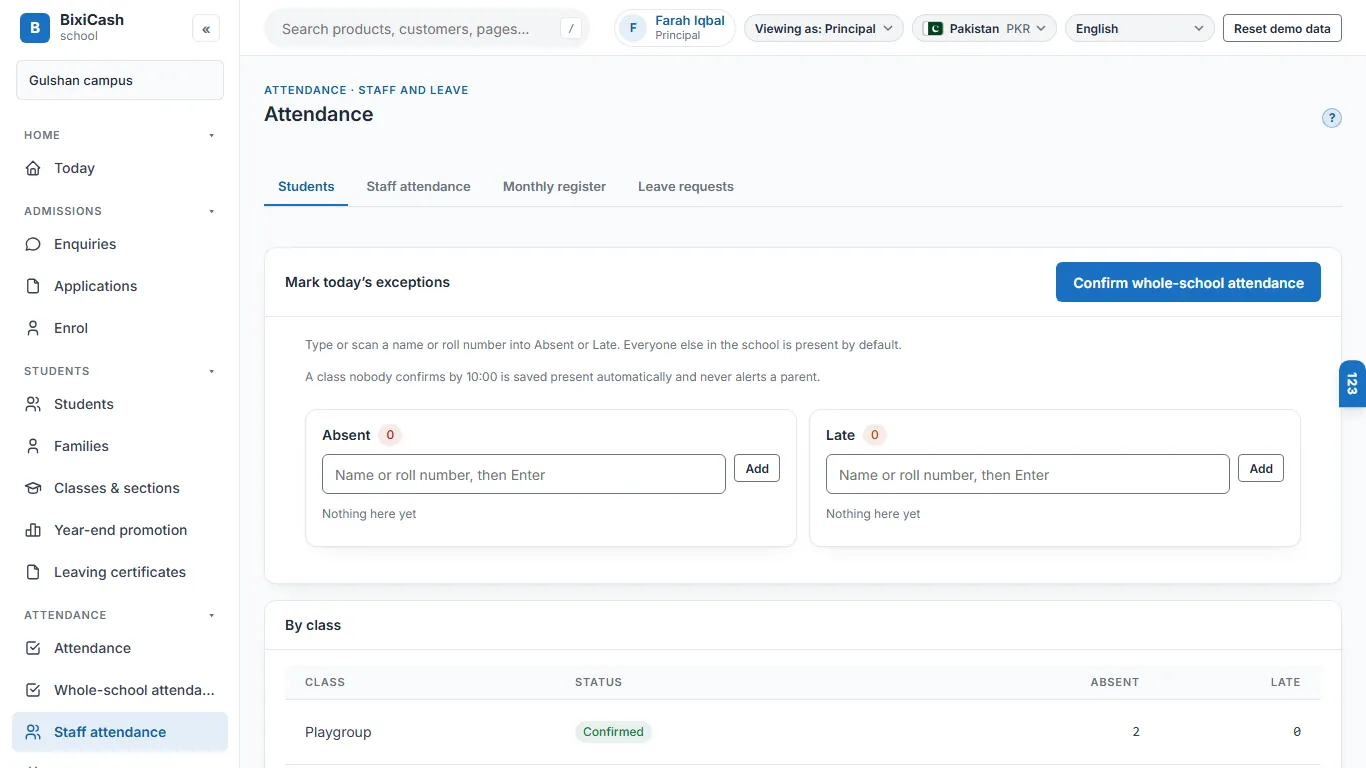
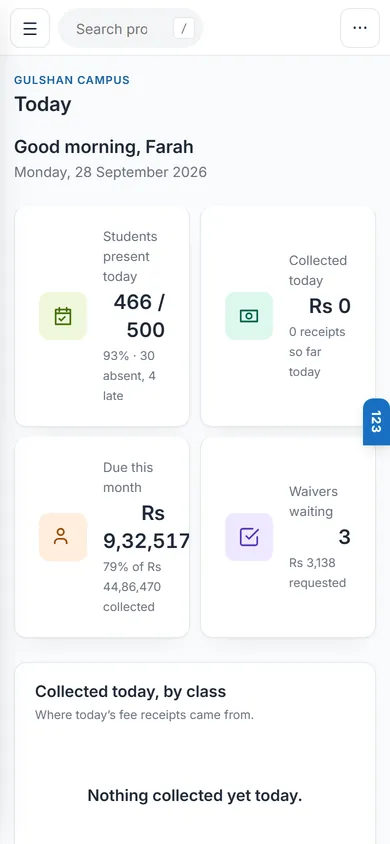
The office types in the few students who are absent or late, and everyone else is present. By mid-morning the principal's Today shows which classes are confirmed and which aren't.

Live demo Education & Childcare
A monthly voucher for every student, with sibling and staff concessions applied on their own and a family's dues together at the counter. Attendance starts everyone present, so the office marks only the exceptions, and each class's diary is written once and shared with parents on WhatsApp by a person pressing Send.
A working day
Morning
The office types in the few students who are absent or late, and everyone else is present. By mid-morning the principal's Today shows which classes are confirmed and which aren't.
Counter
The office scans the voucher's barcode or types a name. Every child's open vouchers show together on one family card, and one receipt covers them: any fine first, then the oldest fee.
Through the day
Each teacher adds their subject's homework to the class diary, and the class teacher shares the diary as a WhatsApp message to the class group, or prints the page.
Midday
Fee waiver requests collect in the principal's inbox with their reasons. The principal clears them in one pass, and the person who asked can't decide it.
Afternoon
The day's cash is counted drawer by drawer against the books, and a difference over the limit goes to the principal. A bank or Kuickpay collection file is matched to vouchers by number.
Month end
The monthly run bills every student in one pass, already carrying sibling discounts and staff concessions. The voucher prints its late-fine bands, and the fine is added when a late fee is collected.
What goes wrong today
Marking every name present each morning wastes the one person the office has; attendance should start present and only record the exceptions.
Sibling discounts and staff concessions get worked out by hand on each child's voucher, month after month, instead of applying themselves to the run.
A class's homework reaches parents only if a teacher separately types it into a WhatsApp group, subject by subject, with nothing kept at school.
A principal approving a fee waiver has to track down whoever asked, instead of clearing a week's requests in one sitting.
Without a fee-clearance check built into the certificate itself, a family can leave owing money and nobody notices until it's too late.
What it does
Parts marked Coming soon are on the way; founding shops get them first, at no extra charge.
Shown in our school demo: a monthly voucher for every student with sibling and staff concessions applied on their own, all of a family's open vouchers on one card at the counter, and a bank or Kuickpay collection file matched to vouchers by number. It is a file import, not a live bank link.
Shown in our school demo: every student starts present and the office records only absences and late arrivals, so one office person can confirm a whole school by mid-morning; the class teacher can also mark leave or a half day.
Shown in our school demo: each subject teacher adds a line to the class diary, and the class teacher shares the diary as a WhatsApp message to the class group by click-to-chat, or prints the page.
Shown in our school demo: a fee waiver goes to the principal's inbox with its reason kept, and the person who asked can't decide it. A leaving certificate can't be issued while fees are owed, and each one is numbered in a register.
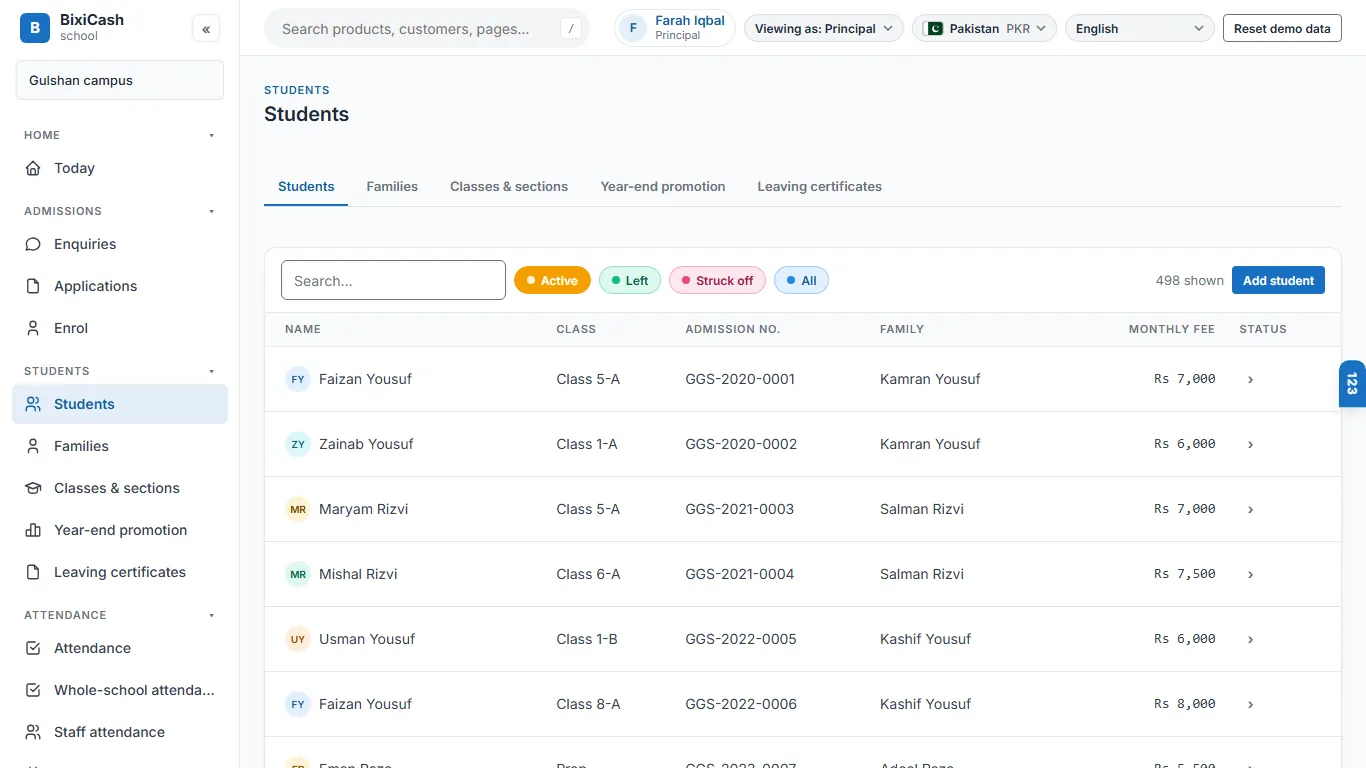
Shown in our school demo: enquiries, applications and admission, then a four-step enrolment that finds the family by phone when a brother or sister joins.
Shown in our school demo: the timetable, exams, a marks grid that also takes a spreadsheet, printed report cards, and results on the parent's page.
Shown in our school demo: a family page with each child's dues, vouchers, receipts and attendance, and results once the school publishes them. In the product parents sign in with their mobile number and a PIN; in the demo, choose Parent from the sign-in menu.
Shown in our school demo: collection, outstanding fees by age, attendance, class strength and results, each printable and downloadable as a spreadsheet. The principal sees all five; the accountant sees the money reports.
Shown in our school demo: monthly pay runs prepared from the staff register and attendance, adjusted, approved by a second person (the product's rule) and paid, with payslips, posted to the books as one balanced entry. The demo shows past runs; approving a new one needs a sign-in code a demo visitor can't set up. Statutory deductions are not applied yet, and leave balances are still being built.
Planned: bulk ID card printing with a photo and a QR or barcode for the gate.
Planned: pulling attendance straight from a biometric machine. Today attendance is marked by exception on screen.
A receipt or a fee reminder pre-fills a WhatsApp message that the office sends with one tap.
Inside the product
Who uses it
Principal
One morning screen for attendance and money, and one inbox for every fee waiver waiting on a decision.
Office
Handles attendance, the fee counter and waiver requests alone, for the whole school.
Teacher
Marks a class present by default, then writes and shares the day's diary without re-typing it anywhere else.
Parent
Sees every child's dues, vouchers and receipts on one family page, and pays at the bank or by 1Bill or Kuickpay with the voucher number.
Behind the counter
The screens for your trade sit on a full set of books. These parts come with it.
Double-entry books, statements, period close.
Cash, bank, cheques and reconciliation.
One staff register, attendance, pay runs.
The numbers an owner asks for each morning.
On the counter
Bought together with the software: one delivery, one bill, set up to work.
The price
Introductory price. GST is added where it applies. A second shop costs the same as the first. Prices for India, in INR, as of 28 Sep 2026.
The first 50 shops in India get free setup and data import with a yearly plan, and today's price locked for two years.
Claim a placeStraight answers
Yes. We built it from the schools we run ourselves, around how their offices actually work: attendance by exception, concessions that apply themselves and a diary written once.
That's who it's built for: attendance by exception, concessions that apply themselves, a family's dues together at the counter and a diary written once, sized for one office person running a school of a few hundred students.
Yes. Each child has their own voucher, but the counter shows all of a family's open vouchers together and one receipt covers them, and the parent's page shows one combined balance.
No. A teacher writes it once and shares it with one tap to the class WhatsApp group; nothing sends on its own without a person pressing Send.
Not yet. The pay run and the payslips work; statutory deductions are not applied until that part is finished. Ask us what is ready for your school.
We are building School to keep working when the internet drops, with the books kept safe online. It isn't finished yet, and today's demo needs a working connection. Ask us what is ready for your school.
Both are planned. Today attendance is marked by exception on screen; bulk ID card printing and pulling attendance from a biometric machine are on the roadmap.
Same aisle
Twenty minutes on a call. We show your day on the screen, with your words and your stock.